When our agent hits a 402 Payment Required response, what happens next?
Today, we have two choices: block the agent entirely, or give it full wallet access and let it spend on any resource it wants. Neither scales. Blocking kills utility—our agent can’t access the paid APIs it needs to engage in the context we want. Full access means no control and visibility on how our money is being spent, where, or by which agent. As we deploy more agents, this becomes a real operational problem.
We built FluxA to create a third option: supervised agent spending. Agents register to gain wallet access. We authorize them, set per-agent and per-host spending policies, and watch activity in real-time. If something looks wrong, we can revoke access instantly. One wallet, many agents, full control.
The trust model
Think about how spending delegation works for humans. We don’t hand anybody our personal credit card, instead we authorize supplementary cards with a limit. With full controllability, we know who’s spending, can review transactions, and can cancel it anytime. The authorized spender has spending capability, but we retain oversight and control.
Agents should work the same way:
- Agents request access—they don’t hold keys
- Humans authorize with constraints
- Activity is observable in real-time
- Access is revocable at any moment
This is delegation of spending authority, not delegation of assets. The human stays sovereign.
The architecture
FluxA has three layers:
- Agent identity
- Authorization and policies
- Wallet and transactions
Agent identity
When an agent needs to make payments, it first registers with FluxA and receives an agent ID and JWT token. No secrets are embedded in the agent itself. The identity is verifiable, but doesn’t grant spending power on its own.
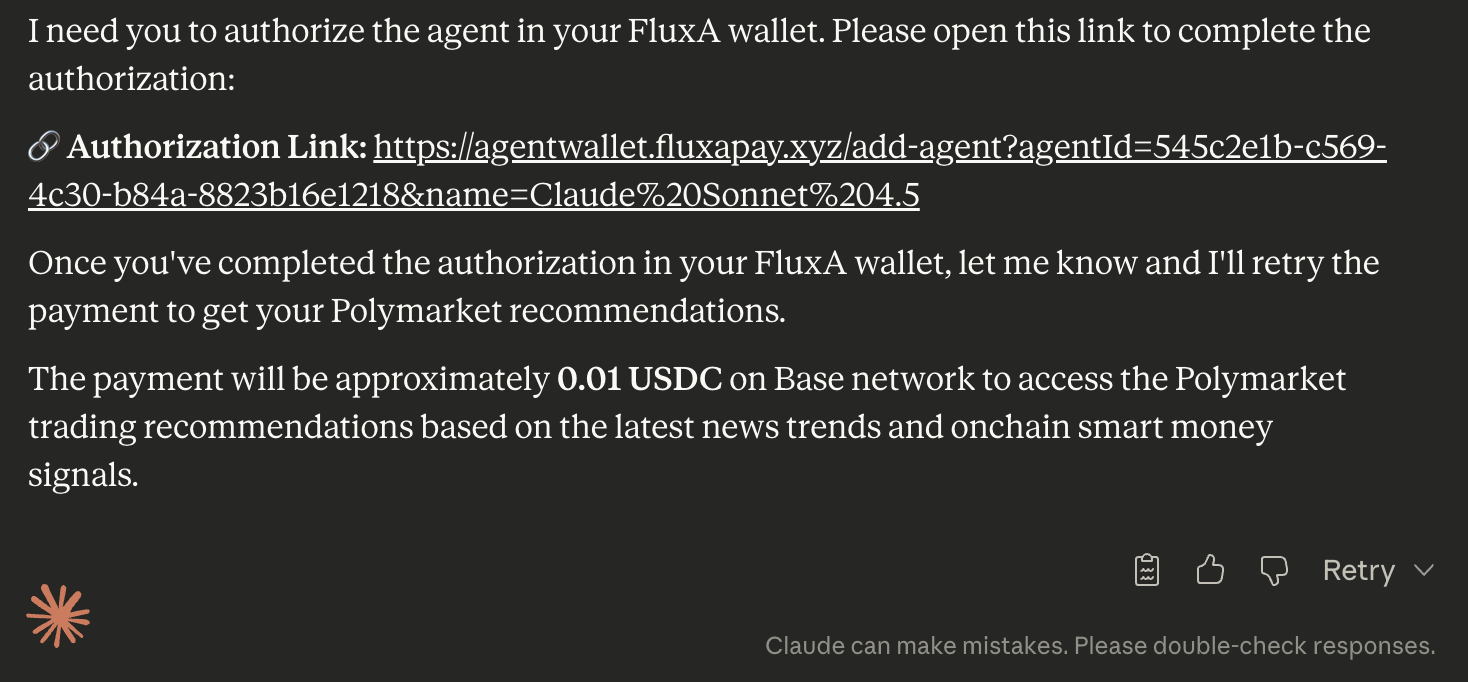
Claude asking to be a registered agent
Once you approve the registration, the agent appears in the FluxA dashboard alongside any other agents that has been authorized. This gives a single view of every agent that has access to the wallet, which helps to manage when running multiple agents across different tasks.
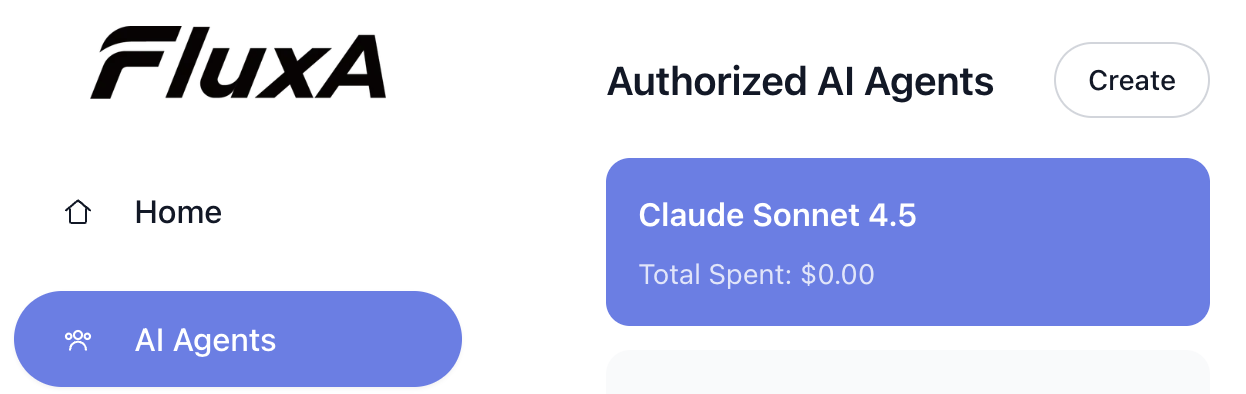
Claude Sonnet 4.5 showing up in a list of agents
Clicking into an agent reveals its card: name, ID, total spending to date, authorization expiry, and current status. This is a quick view of what this agent has been doing and whether its access is still valid.
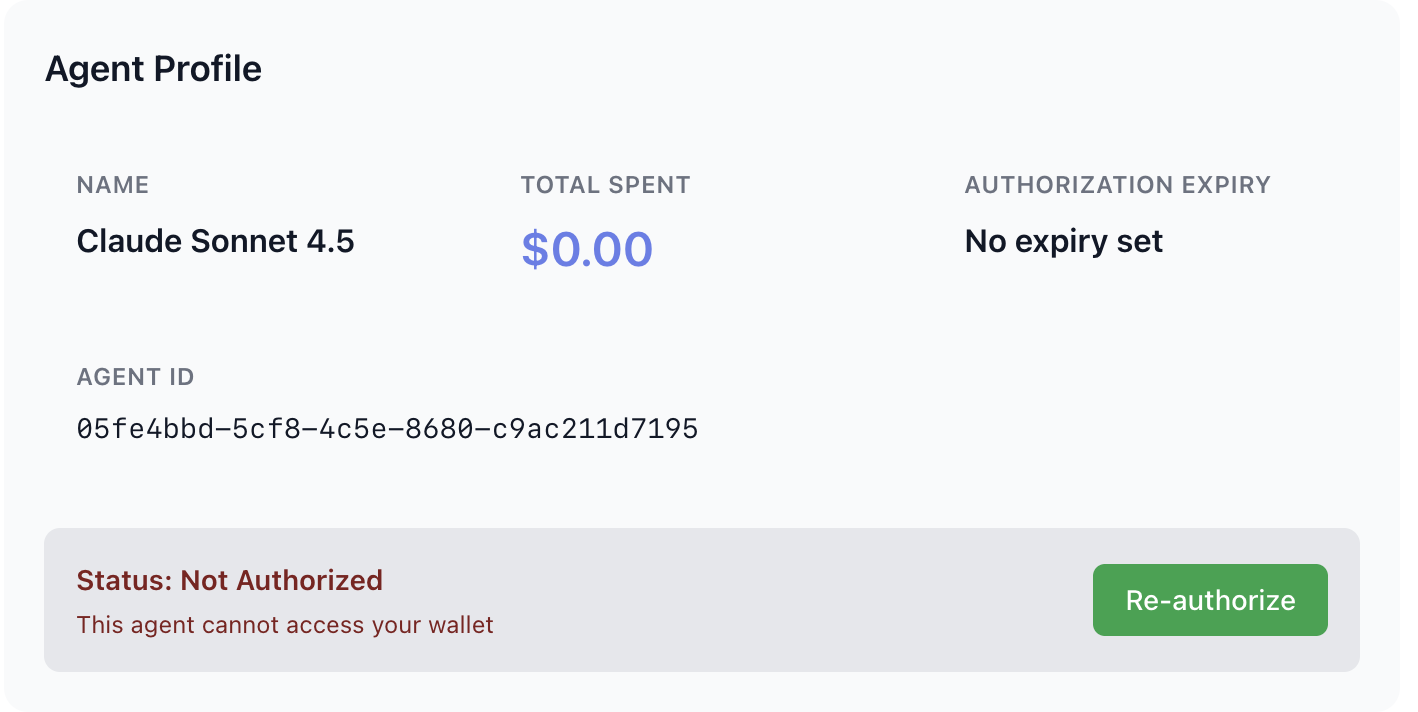
Claude’s Agent Card
Authorization and policies
The human receives an authorization request and decides whether to approve. On approval, we can set policies. These policies are editable and revocable at any time.
Different use cases call for different levels of autonomy:
Manual approve works for high-value or unfamiliar APIs. The agent requests payment, we review and approve each transaction. Safe, but adds latency.
Auto-approve with cap balances speed and control. We set a per-host limit—say and the agent spends freely within that boundary. Once the limit is hit, it needs to request for a new approval.
Time-bounded access suits temporary tasks. Grant an agent access for a specific job, and it expires automatically when done.
Match the pattern to your risk tolerance and the task at hand.
An registered agent is enabled to ask for payment approvals.
The agent will first retry the payment and will receive an authorization link for payments.
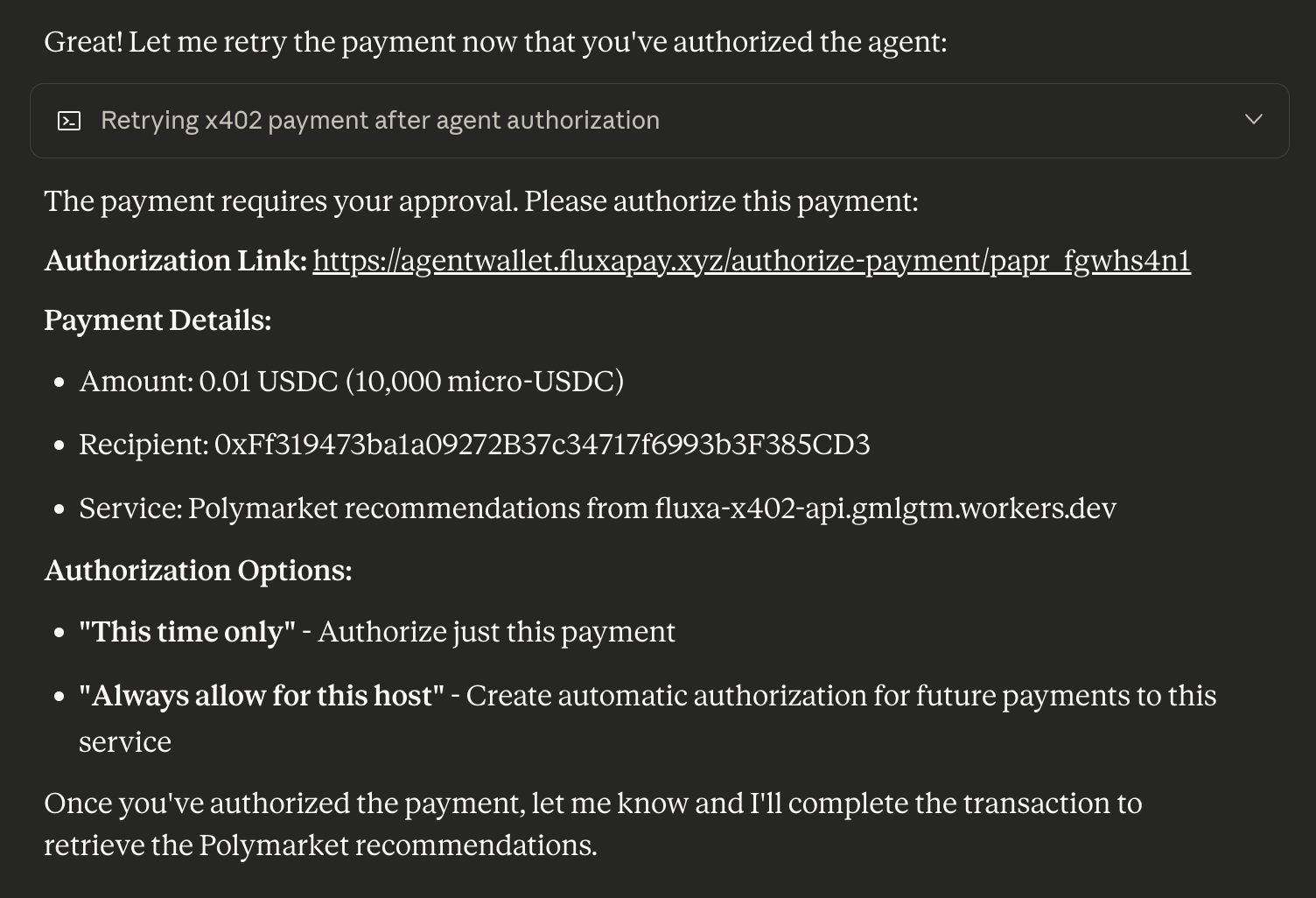
Claude showing authorization link
Upon clicking into the link, we are greeted with the details to this transaction. We can decide whether to approve. On approval, we are able to set policies: one time approval or auto-approve with policy. In our currently provided policy, we are able to set per-request limit, daily limit, and monthly limit. FluxA’s approval mechanism is is similar to signing a cheque or a tab. The auto approval policies are editable and revocable at any time.
After approval, we can inform the agent and they will get the resource
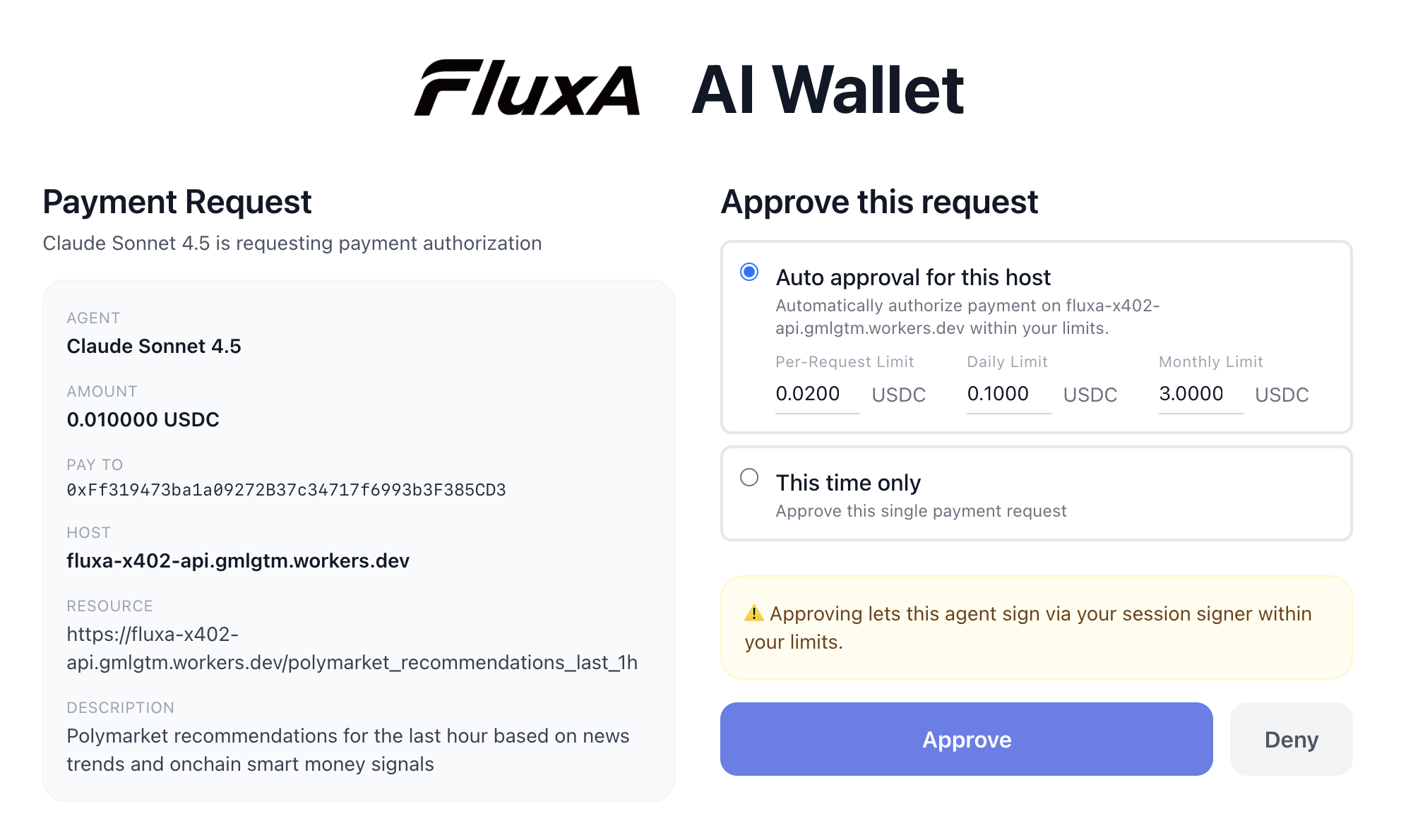
Payment approval page
To manage the policy, we can go into the agent card and view all the details. The auto-approval for a host is removed once the policy for that host is deleted.
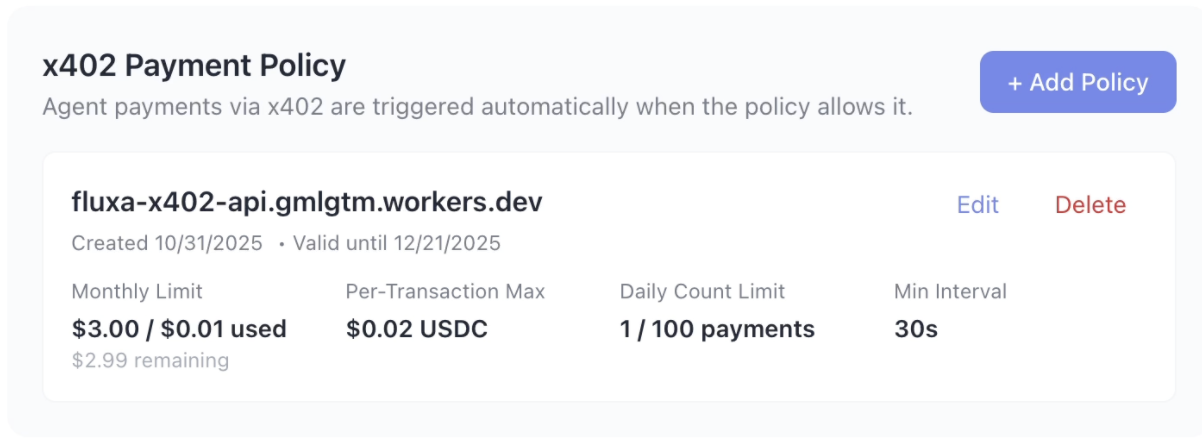
Payment policy
Wallet and transactions
A single wallet serves multiple agents. All transactions flow through policy checks before execution. The human sees all activity: which agent spent what, where, when all in one dashboard.
We can the transaction done by a single agent within its profile through the “Recent Activity” section
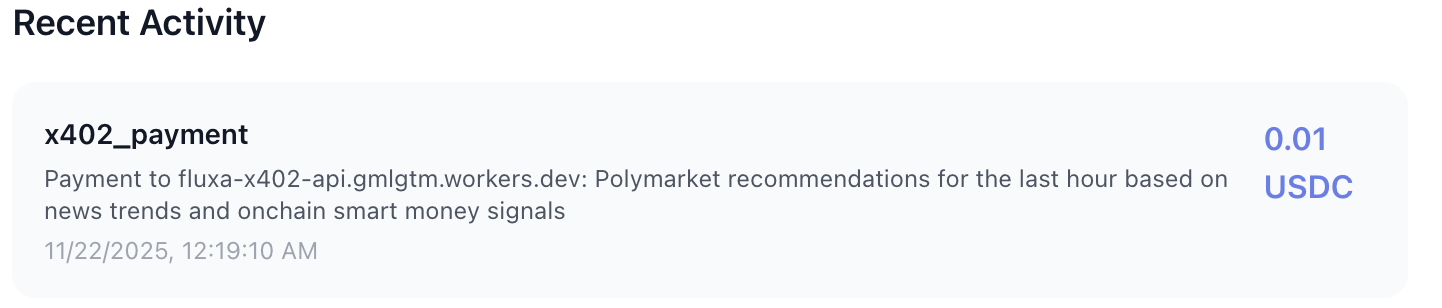
An payment activity to retrieve Polymarket recommendations
In the Home page, we can see the total spending of each agent and every transaction that has been done.
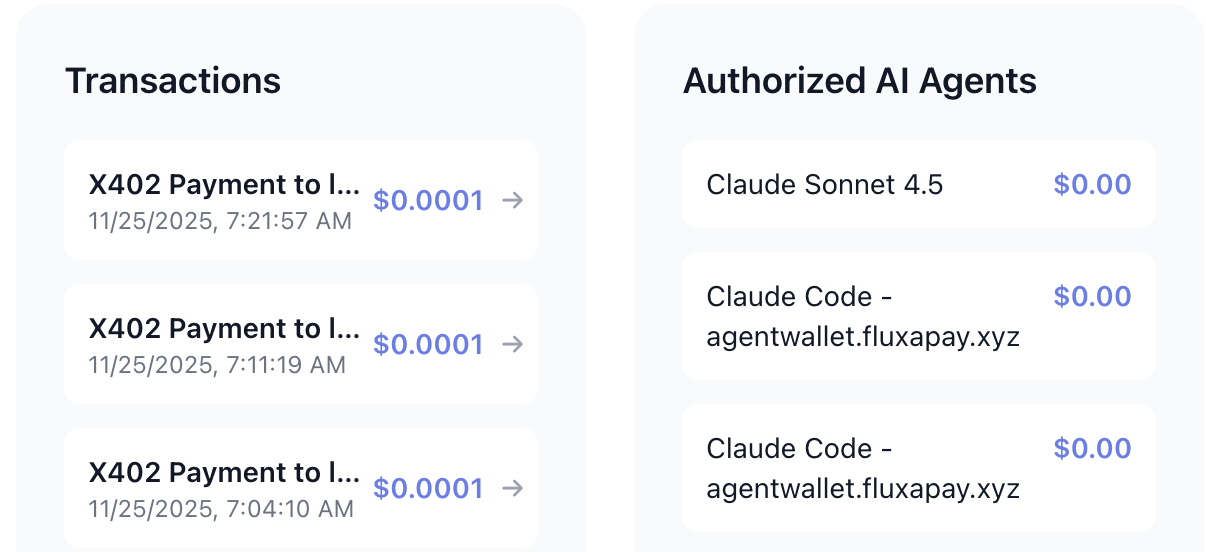
Transaction and total spending of each agent
The full lifecycle
Here’s what the flow looks like in practice, using an agent fetching trading recommendations from a paid API:
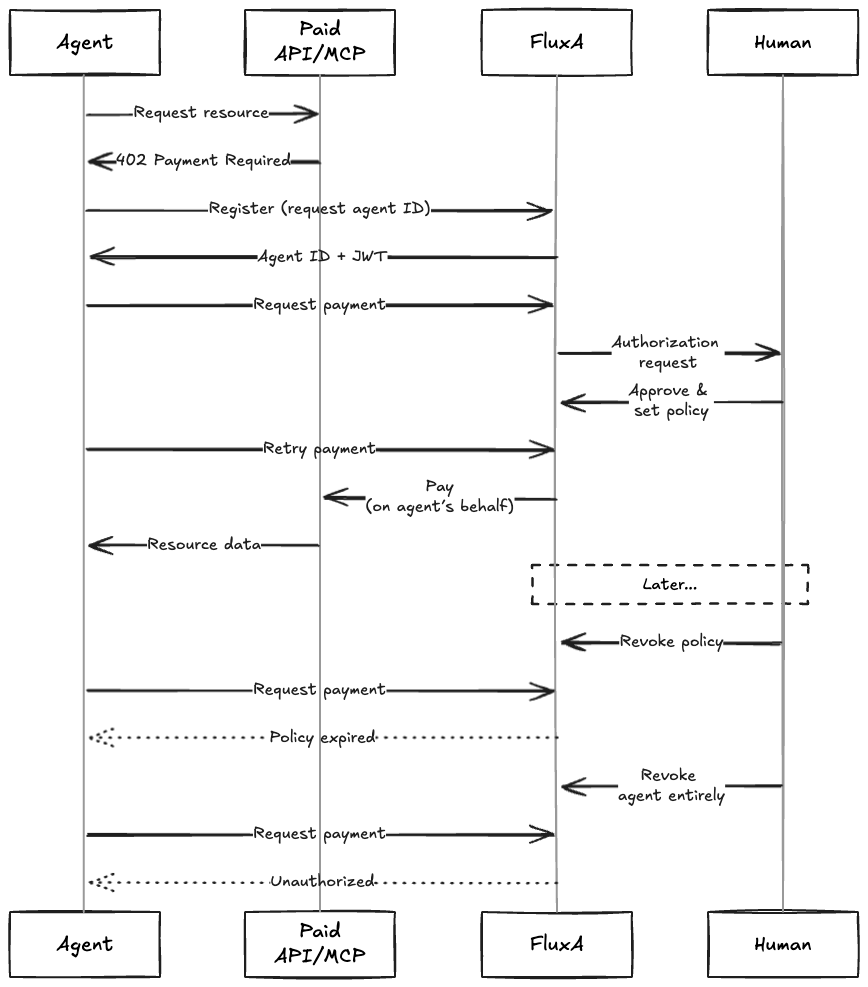
The agent hits a paywall, registers for an identity, requests payment authorization, and waits for human approval. Once approved with a policy, it can transact. Later, the human can revoke the policy (requiring re-approval) or revoke the agent entirely (cutting off all access).
Integration
FluxA integrates via MCP with Claude Desktop, Claude Code, Cursor, Codex, and LangChain. There’s also a direct API for custom setups, and a playground for testing the flow before wiring it into your agent.
Remark
As agents take on more autonomous work, payment infrastructure needs to catch up. The goal isn’t to block agents from spending or to give them unchecked access—it’s to create a supervised middle path where agents are useful and humans stay in control.
That’s what FluxA is for.
FAQ
What is the FluxA AI Wallet?
The FluxA AI Wallet is a supervised spending system that lets AI agents make payments on your behalf without holding your private keys. You retain full control — authorizing agents, setting spending policies, monitoring activity in real-time, and revoking access instantly.
How does FluxA keep agent spending safe?
FluxA uses a three-layer architecture: agent identity (verifiable IDs without embedded secrets), authorization policies (manual approval, auto-approve with caps, or time-bounded access), and a unified wallet with full transaction visibility. All transactions pass through policy checks before execution.
Which AI platforms does FluxA Wallet support?
FluxA integrates via MCP with Claude Desktop, Claude Code, Cursor, Codex, and LangChain. It also offers a direct API for custom integrations and a playground for testing payment flows.
Can I control how much an AI agent spends?
Yes. You can set per-request limits, per-host spending caps, daily limits, and monthly limits. Policies are editable and revocable at any time. You can also grant time-bounded access that expires automatically when a task completes.
What happens when an AI agent hits a 402 Payment Required response?
With FluxA, the agent requests payment authorization and you receive a link to review the transaction details. You approve with your preferred policy, and the agent can then access the paid resource. Without FluxA, your only options are blocking the agent entirely or giving it unrestricted wallet access.