Your AI agent just found a cheaper API. It scanned the vendors, ran the comparison, and queued the purchase — then stopped cold.
Because a human had to log in, enter a card number, and click confirm.
That gap between a capable AI assistant and a truly autonomous agent isn't an intelligence problem. It's a payments infrastructure problem. Most wallets were designed for humans: seed phrases, screen-based approvals, and all-or-nothing access. Hand one to an AI agent and you've either exposed your entire balance or locked the agent out completely.
We've covered what an AI agent wallet is and why it matters elsewhere; this guide walks through exactly how to set one up — what controls matter, what the setup looks like step by step, and why the infrastructure you choose determines whether your agent is safe to run at scale.
TL;DR
An AI agent wallet is a programmable, non-custodial wallet that lets AI agents spend autonomously — every transaction verified against rules you set once, enforced at infrastructure level before funds move.
- Fund + identify: Add USDC, register your agent, get an Agent ID — a scoped credential that authenticates it across the FluxA network without a private key or shared API key.
- Authorize once: Sign an Intent Mandate defining what the agent can spend on, how much, which hosts, and for how long. Every downstream payment clears automatically against it — no per-transaction approval.
- Connect: Agent Skill (one command), MCP Server, or HTTP API — all three unlock x402 payments, USDC payouts, and payment link management.
- Legacy fallback: Need a card number? Issue a single-use AgentCard — amount-locked, auto-closes after one transaction, unused balance returns automatically.
Why Traditional Wallets Fail for AI Agents
The failure modes aren't obvious until something goes wrong. Here's where conventional options break down.
The shift is already happening at the highest levels of payments infrastructure. In October 2025, Visa introduced the Trusted Agent Protocol — an open framework designed to help merchants distinguish between malicious bots and legitimate AI agents acting on behalf of consumers. And Mastercard's Agent Pay initiative put it directly: "As AI agents become more capable and autonomous, the need for trust, transparency and interoperability becomes paramount." The bottleneck isn't model capability. It's that payment infrastructure was never designed for non-human actors.
Seed-phrase wallets are built around a human who can read a prompt and decide. An agent cannot hold a seed phrase securely, evaluate a transaction on screen, or approve anything the way a person does. Give an agent a raw private key and access becomes binary: full control or none. No daily cap, no per-task limit, no automatic shutdown if behavior drifts.
Real credit cards are structurally worse. The card stays active indefinitely, mixes with personal spending history, and if the agent's runtime is ever compromised, the credential damage is permanent and cannot be scoped to a single task.
What agent-native infrastructure actually requires. Four properties separate a wallet built for agents from one retrofitted from human-facing tools:
- Verifiable identity. Agents need a machine-readable credential that other services can authenticate programmatically — without human login steps.
- Programmable spending limits. Human wallets run on trust. Agent wallets need rules enforced at the infrastructure level — per-transaction caps and monthly ceilings that exist independently of application code.
- Protocol-native settlement. An agent-native payment protocol lets agents detect a paid API endpoint, trigger payment automatically, and proceed — no human hand-off required.
- Automatic audit trail. Every payment request and mandate approval generates an immutable log tied to the agent's identity. You always know what was spent, where, and under which authorization.
How to Set Up a FluxA AI Agent Wallet
Five steps from a blank dashboard to a fully authorized, spending-capable agent.
Step 1 — Create Your Wallet and Add Funds
Start by signing in to FluxA's agent wallet dashboard with your social account — no seed phrase, no private key to manage. FluxA uses industry-leading non-custodial infrastructure at the base layer, which means you retain full ownership of your assets through a login you already trust.
Once you're in, top up your balance with USDC. You can fund via fiat on-ramp if you're starting from cash, or send USDC directly on Base Mainnet if you already hold it on-chain. This balance is the only pool your agents can ever draw from.
Step 2 — Register Your Agent and Get an Agent ID
From the dashboard, create a new agent profile. FluxA issues each agent a unique identity credential — the Agent ID — that it uses to authenticate with your wallet and interact with any service across the FluxA network, all without requiring a human to log in on its behalf.
This is structurally different from sharing an API key. It's worth being clear on how an API key and an agent wallet differ: an API key grants all-or-nothing access until manually revoked, often requiring code changes. An Agent ID is scoped to that specific agent, fully revocable from the dashboard in one click, with every action logged under its individual identity.
What Agent ID gives your agent:
- Machine-readable identity recognized across the FluxA network
- Ability to register, sign in, and access services without human authentication steps
- Instant revocation from the dashboard — no code changes required
- A complete, per-agent action log tied to that identity alone
Step 3 — Authorize an Intent Mandate
This is where V3 changes the experience fundamentally. Instead of you configuring spending rules in a dashboard, the agent proposes what it needs — and you decide whether to approve it.
How it works:
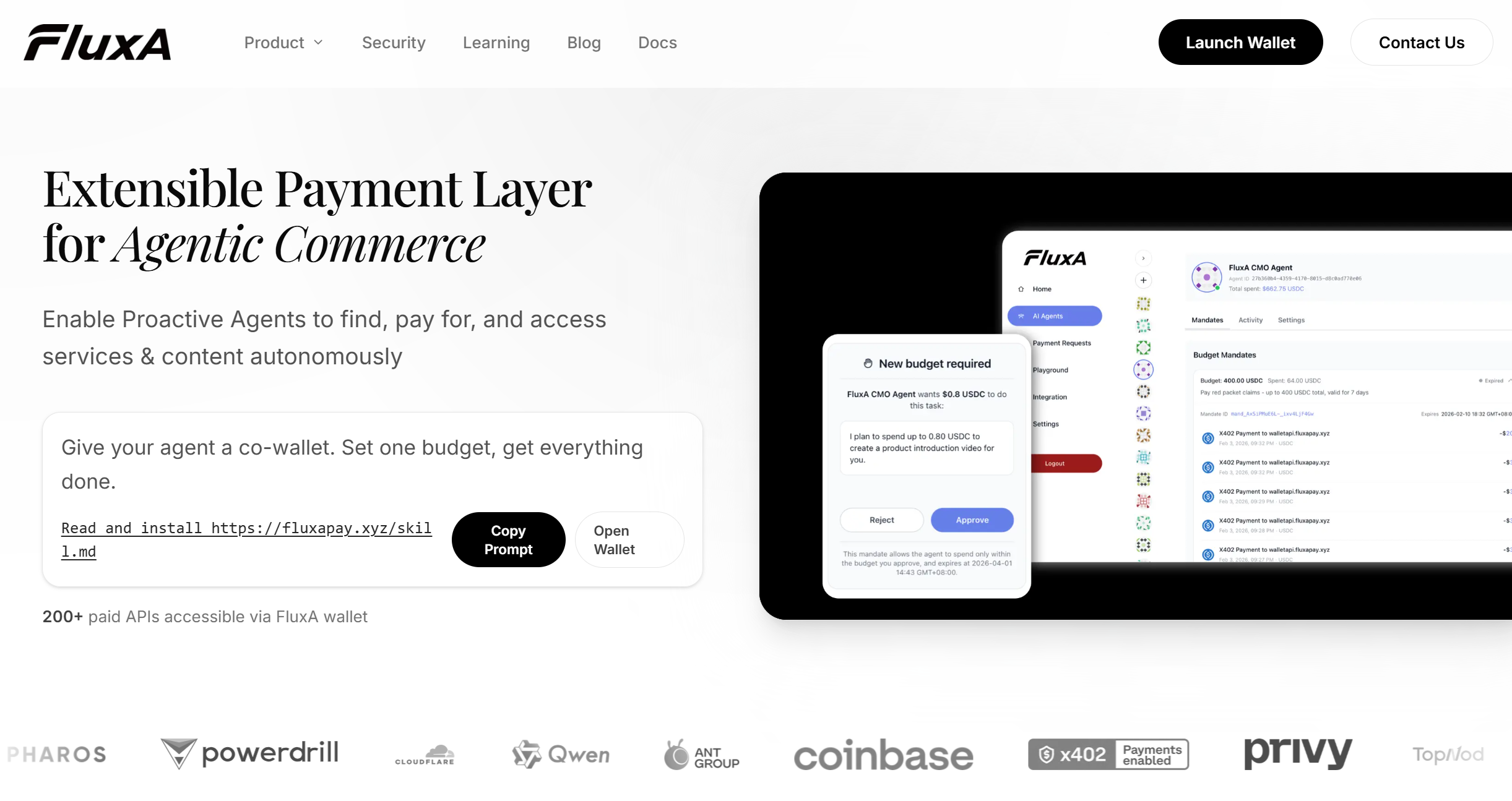
When your agent encounters a paid resource for the first time, it drafts an Intent Mandate and surfaces an authorization URL for you to review. The mandate contains four things:
- Natural language description — what the agent intends to spend on, in plain English (e.g. "Pay for WHOIS API calls")
- Total budget cap — the maximum it can spend across all transactions under this mandate (e.g. 5 USDC)
- Host allowlist — optionally scoped to specific domains, so the mandate can only be used to pay recognized services
- Validity window — how long the mandate stays active, up to one year
You open the authorization URL, review those four parameters, and sign. That's the only moment you need to be present.
What happens after you sign:
Every subsequent payment the agent needs to make is checked against the signed mandate automatically — no confirmation URL, no human approval step. The system queries for an eligible mandate, verifies the payment falls within the approved host, budget, and time window, then deducts from the remaining balance and proceeds. You can check spentAmount and remainingAmount in real time from the dashboard at any time.
If no eligible mandate exists for a payment — because the host isn't on the allowlist, the budget is exhausted, or the mandate has expired — the agent falls back to V1 (per-transaction approval) or proposes a new mandate for you to sign.
What this looks like compared to V1:
| V1 | V3 (Intent Mandate) | |
|---|---|---|
| User signs | Every transaction (potentially) | Once per mandate |
| Authorization object | Single payment | Task intent + budget + scope |
| Budget tracking | None | Real-time remainingAmount |
| Intent verification | None | naturalLanguage field ties every payment to original intent |
| Fallback | N/A | Auto-falls back to V1 if no eligible mandate |
One practical note: start with a conservative budget and a tight host allowlist on your first mandate. Once you've confirmed the agent's behavior matches the intent you described, you can propose a broader mandate with a higher ceiling or a longer validity window.
Step 4 — Connect Your Agent
Three paths depending on your setup.
Option A — Agent Skill (recommended)
The fastest path. Run one command and your agent immediately has payment capability — x402 payments via Intent Mandate, USDC payouts, and payment link management, no code or configuration required.
npx skills add -s fluxa-agent-wallet -y FluxA-Agent-Payment/FluxA-AI-Wallet-MCP
Then follow three steps:
- Run the command above to get started
- Register and send your human the authorization link
- Once approved, start using
For a full walkthrough of your first paid API request, the Quick Start guide walks through the complete flow end to end. For other install environments — Claude.ai, Claude API — see FluxA's agent skill setup guide.
Option B — MCP Server
For agents running in Claude Code or any MCP-compatible framework. Connect via FluxA's local and remote MCP server configuration to expose wallet tools as native callable functions.
Option C — HTTP API
For custom backends making HTTP requests directly. Authenticate with your Agent JWT and call the REST API using FluxA's complete wallet API reference.
All three paths give your agent the same capabilities: pay for x402-enabled APIs via signed Intent Mandate, fall back to per-transaction approval when needed, send USDC payouts, and create payment links.
Step 5 — Issue a Single-Use Card for Traditional Payments (Optional)
Not every service your agent needs to pay accepts stablecoins or x402. For SaaS subscriptions, online marketplaces, or any platform that still requires a standard card number, FluxA's disposable virtual card for per-task agent spending fills the gap.
The agent generates a card on demand, funds it at a specific amount, uses it for one transaction, and the card is permanently invalidated once the payment settles. Unused balance returns to your wallet automatically. One task, one card, zero lingering credentials.
Why this is safer than sharing a real card:
| Real Card | FluxA AgentCard | |
|---|---|---|
| Spending scope | Full credit line exposed | Amount-locked per card |
| Reuse risk | Card stays active forever | Single-use, auto-closes |
| Revocation | Cancel entire card | Close just that one card |
| Audit trail | Mixed with personal spend | Isolated per-agent log |
| Credential leak | Permanent damage | Card already expired |
Security, Compliance, and Responsible Use
How FluxA Keeps Agent Spending Under Control
The question every team asks before deploying an agent with payment capability is the same one Visa's Trusted Agent Protocol was built to address: how do you verify the agent is acting within what the user actually intended — and stop it when it isn't?
FluxA's answer runs across four layers:
TEE hardware isolation. Agent policies execute inside a Trusted Execution Environment — a hardware-level enclave that keeps spending rules intact even if the surrounding system is compromised. The rules don't live in your application code. They can't be talked out of, hallucinated around, or overridden by the model.
Self-custody by design. FluxA holds no custody over user funds at any point. Your USDC balance is never pooled with other users or held by a third party. The platform is a coordination layer — ownership of the underlying assets stays with you.
Explicit authorization at every layer. There is no pathway — not through MCP, not through the API, not through any agent action — that moves funds without an authorization you have explicitly granted, either as a per-transaction approval or a pre-scoped mandate.
Real-time risk monitoring. The system watches the full spending flow continuously, specifically calibrated to catch costs driven by LLM hallucinations, prompt injection, or agent behavior that drifts from the original user intent. Unusual activity triggers automatic intervention before funds leave the wallet.
Before You Go Live: Three Practical Checks
Set limits lower than you think you need. The first week of any agent deployment surfaces edge cases no one anticipated. A conservative spending cap during that period costs nothing and prevents a lot, and there's more than one way to set hard spending limits depending on your stack. Raise limits only after the transaction log confirms behavior matches your intent.
Test revocation before it matters. One-click revocation from the dashboard is only useful if you've confirmed it works the way you expect. Run a test revoke on a non-critical agent before the system is handling real volume — check how fast it takes effect and what happens to any transaction the agent had already queued.
Know what FluxA is and isn't. FluxA is software infrastructure, not a financial institution, and holds no custody over customer funds. Tax treatment, expense categorization, and cross-border compliance obligations on the underlying transactions remain with the user.
Conclusion
Agents that pause for human approval at every payment aren't autonomous — they're assistants with extra steps. Whether you're running a research agent that buys API access on the fly, a finance agent processing team reimbursements, or a product built on agent-to-agent transactions, the constraint is the same: payment infrastructure that was designed for humans doesn't bend to fit agent behavior without breaking something.
FluxA solves that at the infrastructure level — identity, spending controls, and audit trails that work the way agents actually operate. If you're still weighing your options, it's worth seeing how the main agent wallet platforms compare before you commit. FluxA's complete wallet setup and MCP integration documentation covers every integration path in detail. When you're ready, open your agent wallet and configure your first spending mandate to get started.
Frequently Asked Questions
What is an AI agent wallet?
A programmable wallet where AI agents spend autonomously within rules you set — per-transaction limits, monthly caps, and scoped authorization enforced at infrastructure level, not in application code.
Do I need crypto knowledge to use FluxA?
No. Fund via fiat on-ramp, configure spending rules in the dashboard, connect via MCP or API. No seed phrases or blockchain engineering required.
Can my agent spend money without my approval?
Only within boundaries you explicitly set. One-time approval mode requires confirmation per payment. Once you trust the agent's behavior, switch to pre-authorized mandate policies with defined scope and time windows.
What happens if my agent gets hacked or behaves unexpectedly?
Spending limits cap the damage regardless of what the agent does. Real-time risk controls can freeze unusual activity automatically. Revoke the agent's access entirely from the dashboard in one click.
What is the difference between the AI wallet and the AgentCard?
The wallet is the funding and authorization layer — balance, Agent IDs, mandate policies. The AgentCard is a single-use virtual card the agent generates on demand for services that require a standard card number.
Does FluxA support MCP integration?
Yes. FluxA's MCP server exposes wallet tools — payment, payout, mandate management, card issuance — directly to any MCP-compatible agent framework as callable functions.
What payment protocols does FluxA support?
FluxA supports x402 for HTTP-native autonomous payments and AEP2 — FluxA's own embedded payment protocol built for high-frequency agent commerce with deferred settlement and ZK-SNARK batch verification.